 RouteLocker 2
Dashboard
Your drive at a glance
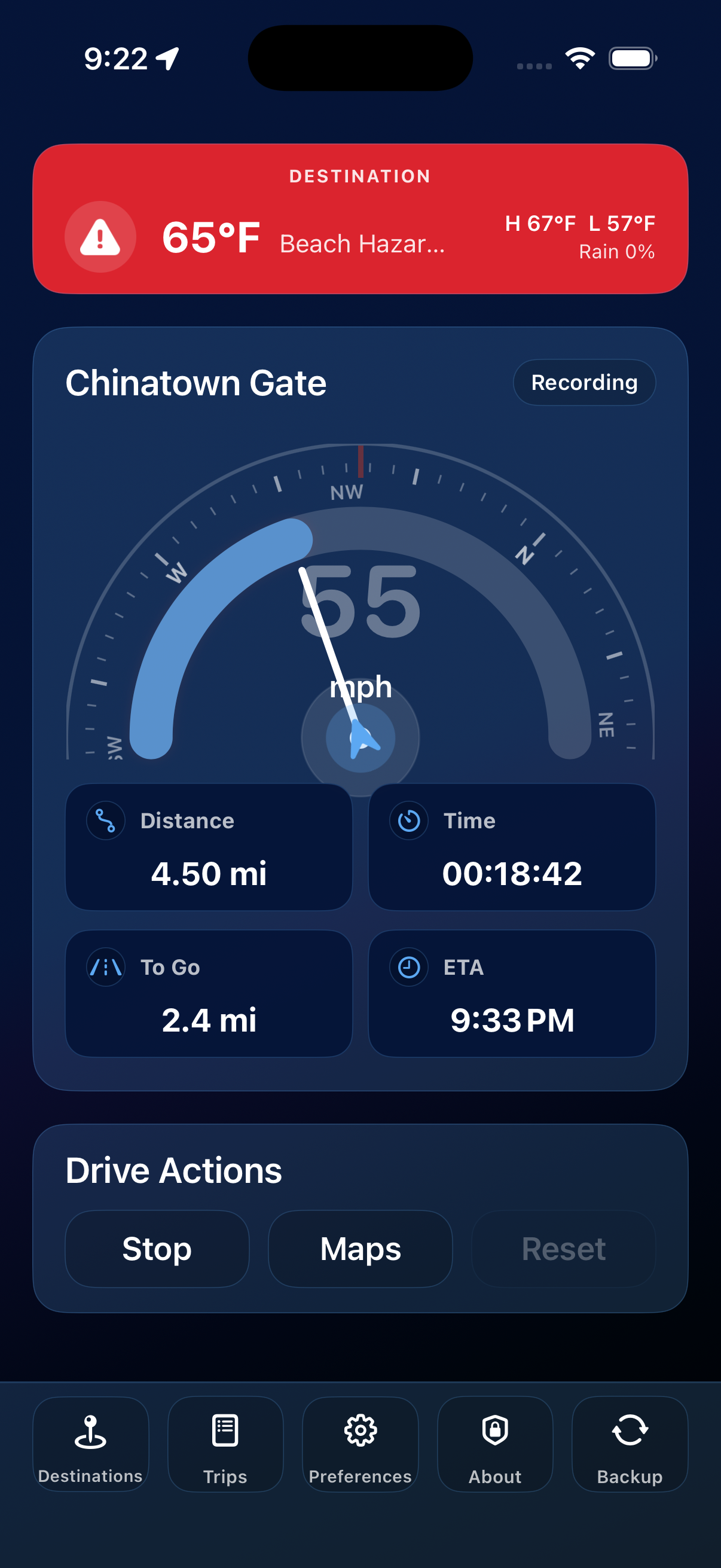
Keep speed, heading, elapsed time, distance, remaining distance, and ETA easy to read without digging through menus.
A cleaner way to drive with the information you actually use: live speed, saved places, trip history, destination weather, and local-first privacy in one calm dashboard for iPhone and iPad.
What you can do
Dashboard
Keep speed, heading, elapsed time, distance, remaining distance, and ETA easy to read without digging through menus.
Destinations
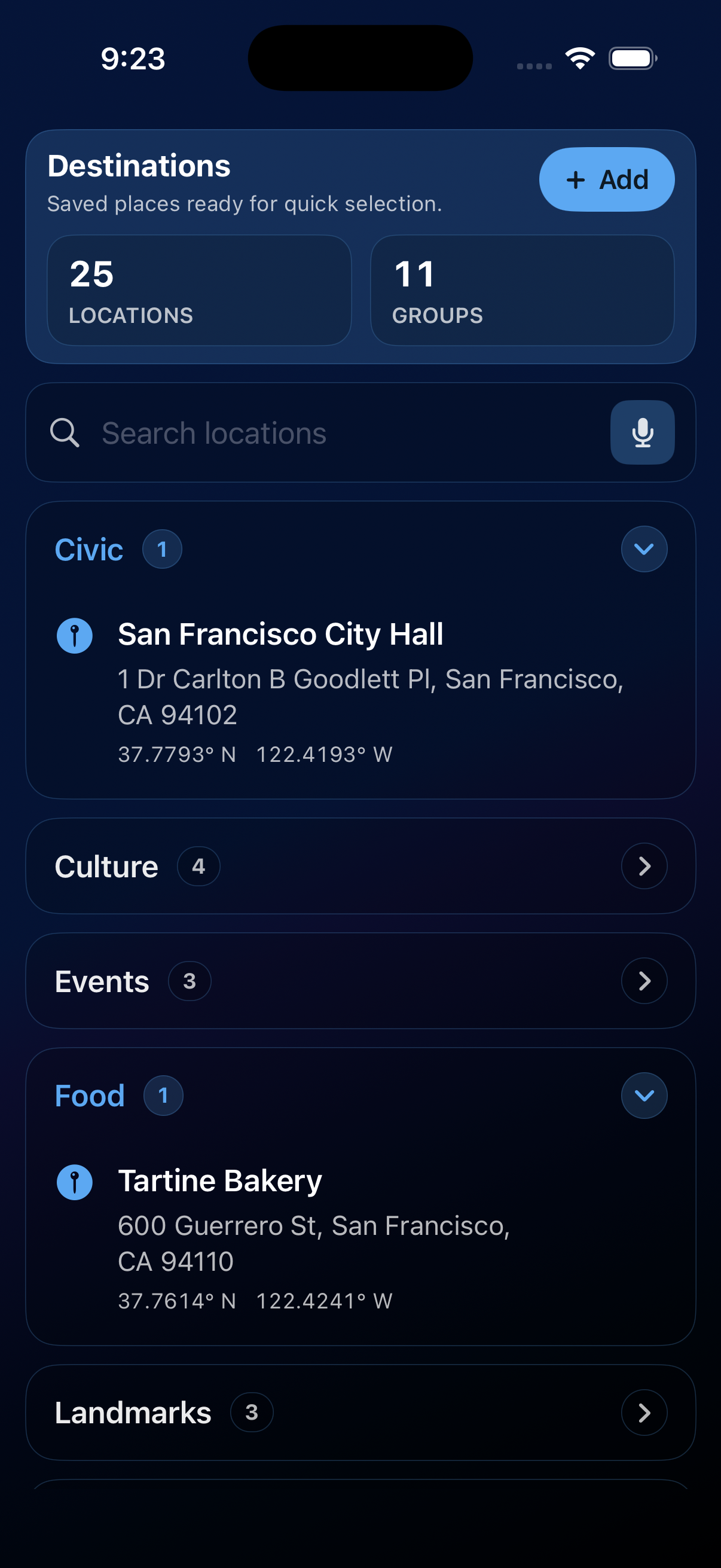
Save the addresses you rely on, group them your way, and send directions to Apple Maps, Google Maps, or Waze in a tap.
Destination weather
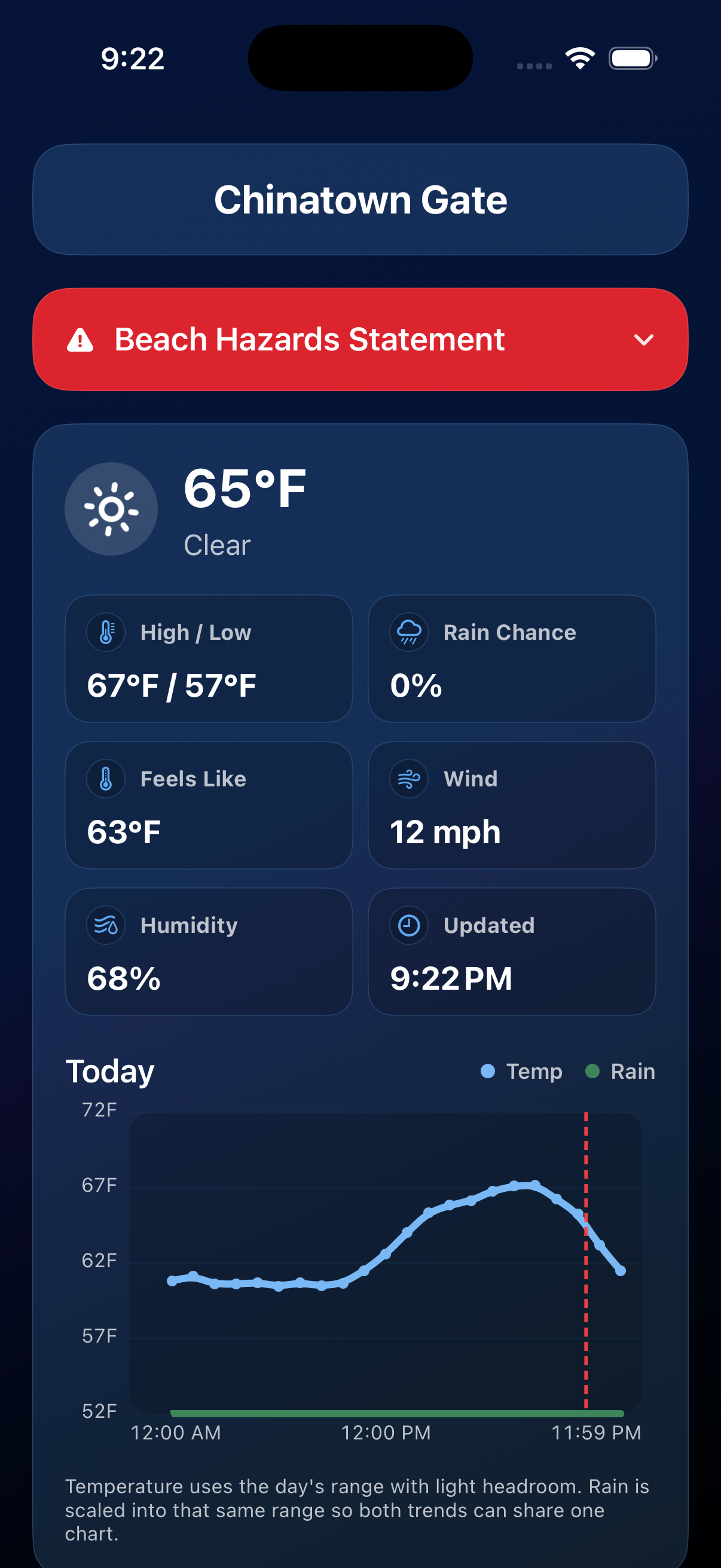
Check conditions, hourly trends, alerts, and live NOAA radar for where you are headed before you commit to the route.
Trips
When tracking stops, your trip is saved. Search it, filter it, add notes, or share the trips you need as a CSV file.
Preferences
Set your units, speed gauge, map app, auto-start and auto-stop behavior, arrival alerts, and visual theme.
Privacy
Your destinations, trips, notes, and preferences stay on your device unless you choose to export or share them.
Tracking
Tap Start and RouteLocker 2 follows along with distance, elapsed time, and average speed. Tap Stop when you arrive and the trip lands in your history automatically.
Destinations
Save the places you drive to most, group them, search by name or address, and set an arrival radius that fits the real-world stop.
Weather
RouteLocker 2 checks weather for your selected destination, not just your current location. Open current conditions, hourly trends, alerts, and live NOAA radar before you head out.
Make it yours
Choose a look that fits your car, lighting, or vision needs, including themes designed for red-green and blue-yellow color blindness.
Pick from built-in dings, chimes, gongs, or spoken arrival voices, or turn alerts off. Auto-stop can end a trip when you reach the arrival radius.
Hold the microphone button and say the place you want. Recognition happens on-device when supported.
Export your saved locations to a JSON backup, then merge or replace your library when you move devices or reinstall.
Ready for the next drive?
Get the driving dashboard that keeps your route, records, destinations, weather, and privacy in one place.