 RouteLocker 2
A dashboard made for the road
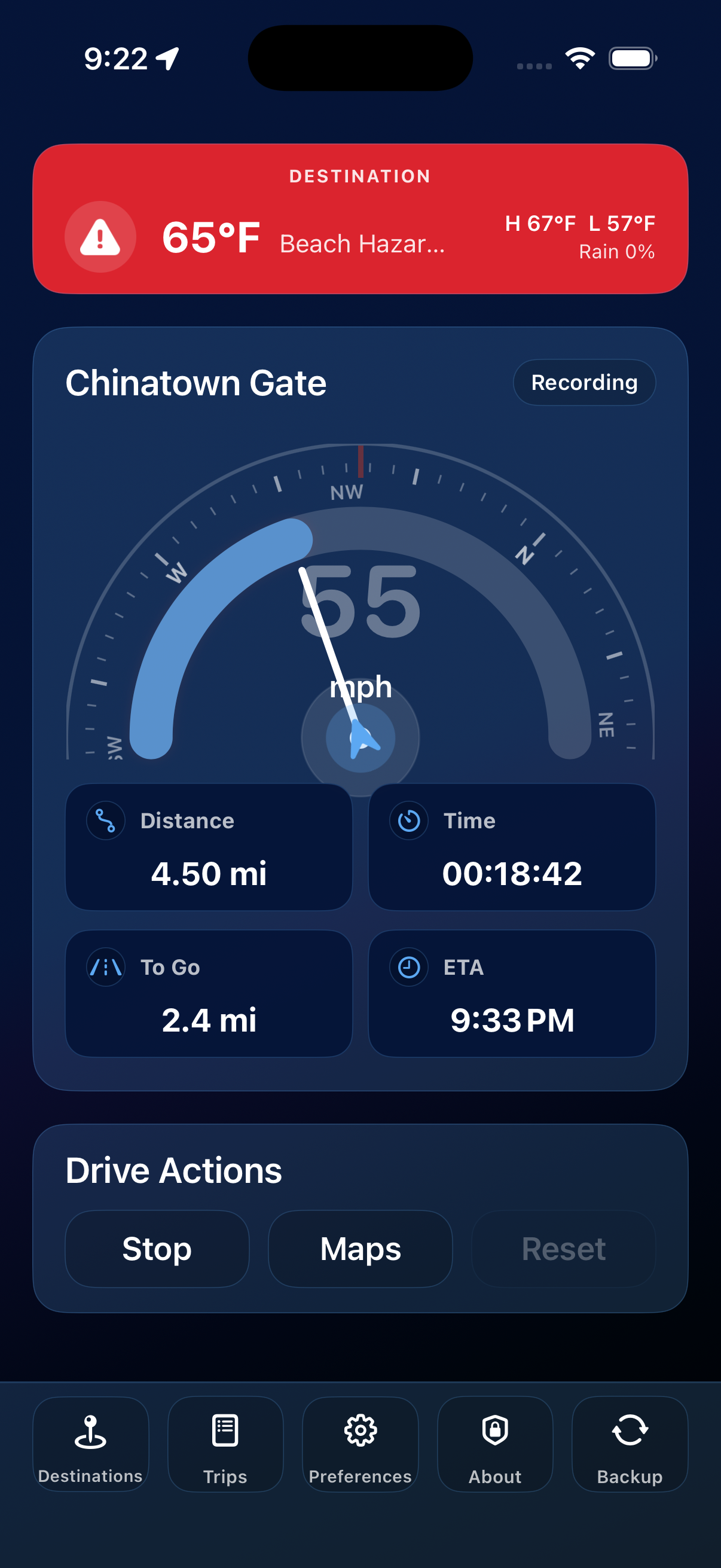
The RouteLocker 2 dashboard keeps the important details big, calm, and easy to scan whether you are parked, starting a trip, or watching your ETA settle in.
What you see
- Speed gauge — a large dial for your current speed, with a range you can tune in Preferences.
- Compass ring — heading support on devices with a built-in magnetometer.
- Trip metrics — distance, elapsed time, remaining distance, and ETA when a destination-backed trip is active.
- Destination context — remaining distance, ETA, and current destination weather when you select a saved place.
- Quick actions — Start / Stop, Reset, and Navigate right where your thumb expects them.
- Bottom dock — fast access to Destinations, Trips, Preferences, About, and Backup.
When a trip is active
Tap Start and the dashboard starts building a clean trip record while you drive. With a destination selected, you also get remaining distance and an ETA based on Apple route information.
Reset clears the current trip and selected destination, and it is disabled while a trip is active so you do not lose progress by accident.
When no trip is active
The speed gauge and compass can still be useful between recorded trips, giving you a simple speedometer and heading display when you just want the basics.